Preparing your Mesh
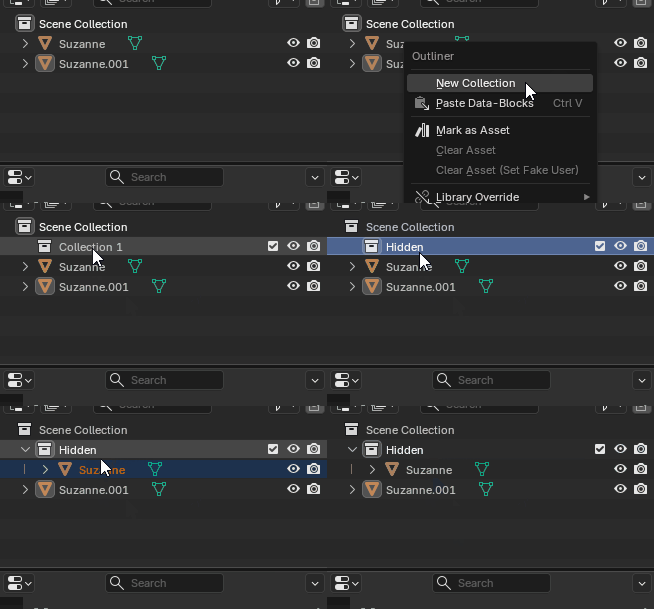
Import your FBX into Blender and duplicate it. Because you only want to export the modified mesh, create a new collection and hide the original mesh inside it.
Add a "DataTransfer" modifier and copy the normals of the original mesh.
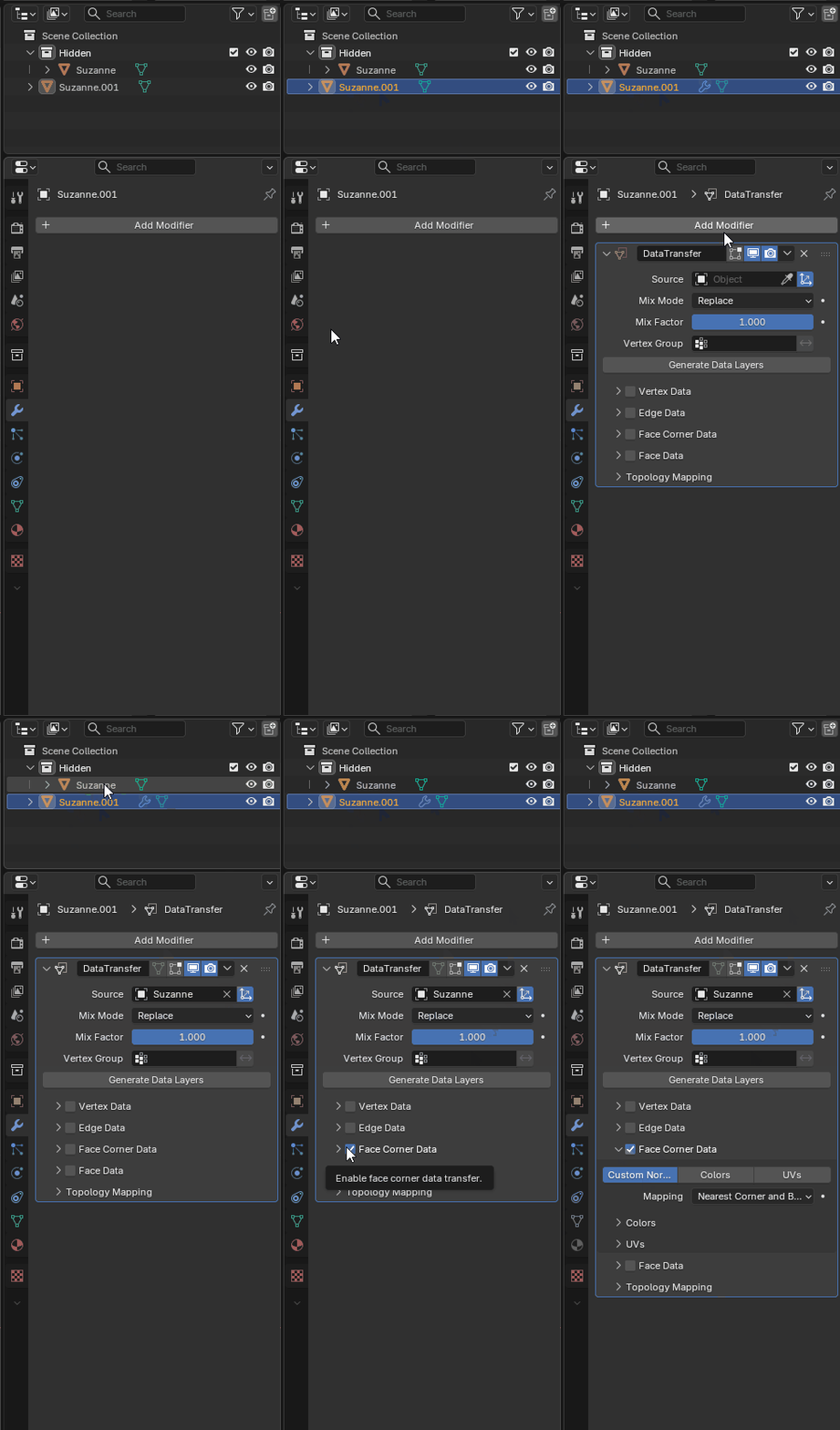
Afterwards disable the collection with your original mesh inside by clicking the checkmark.
If you want your whole object to use the shader:
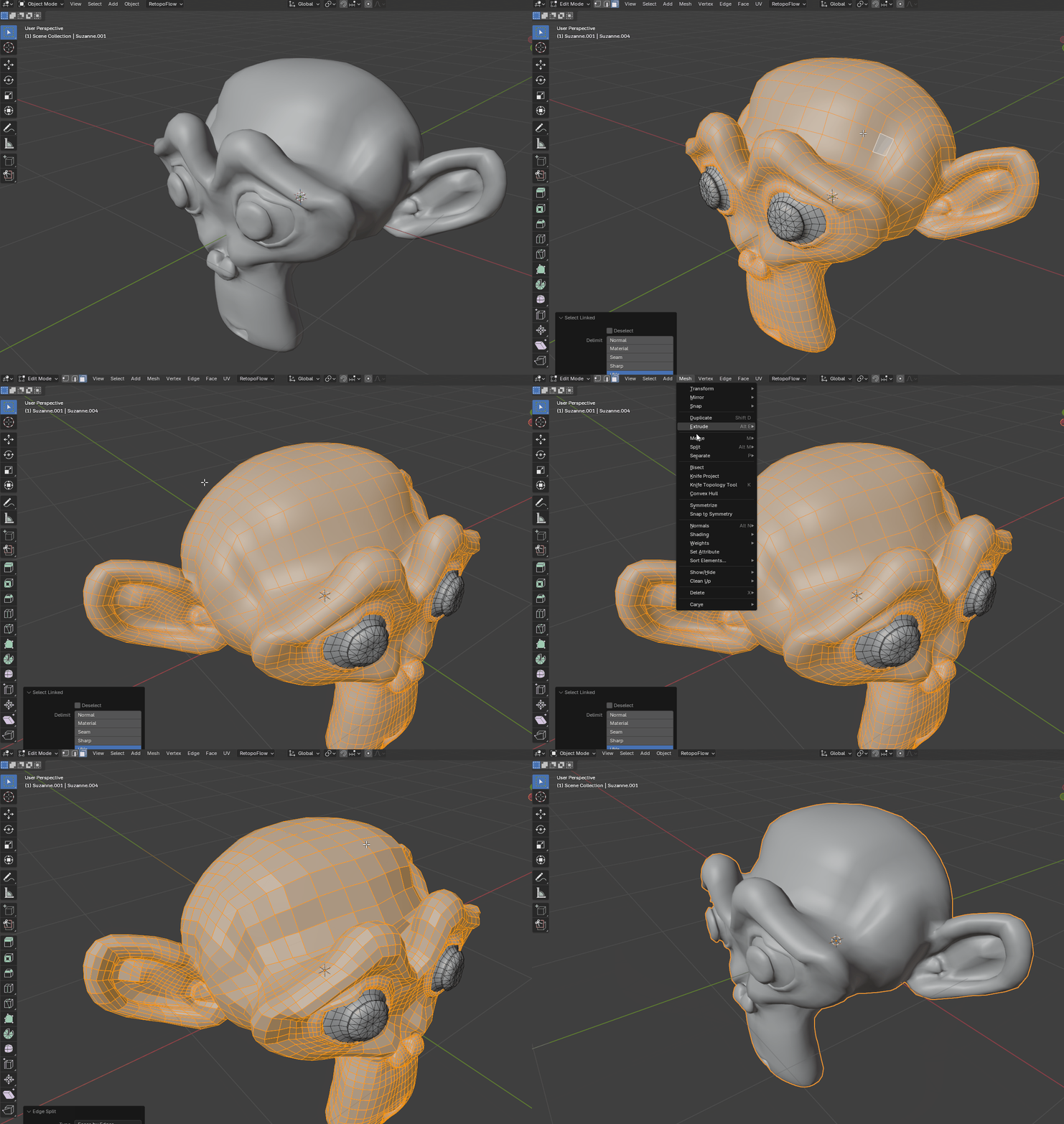
Select your mesh and go into edit mode (TAB). Afterwards select everything with the A key. Then go to Mesh -> Split -> Faces by Edges
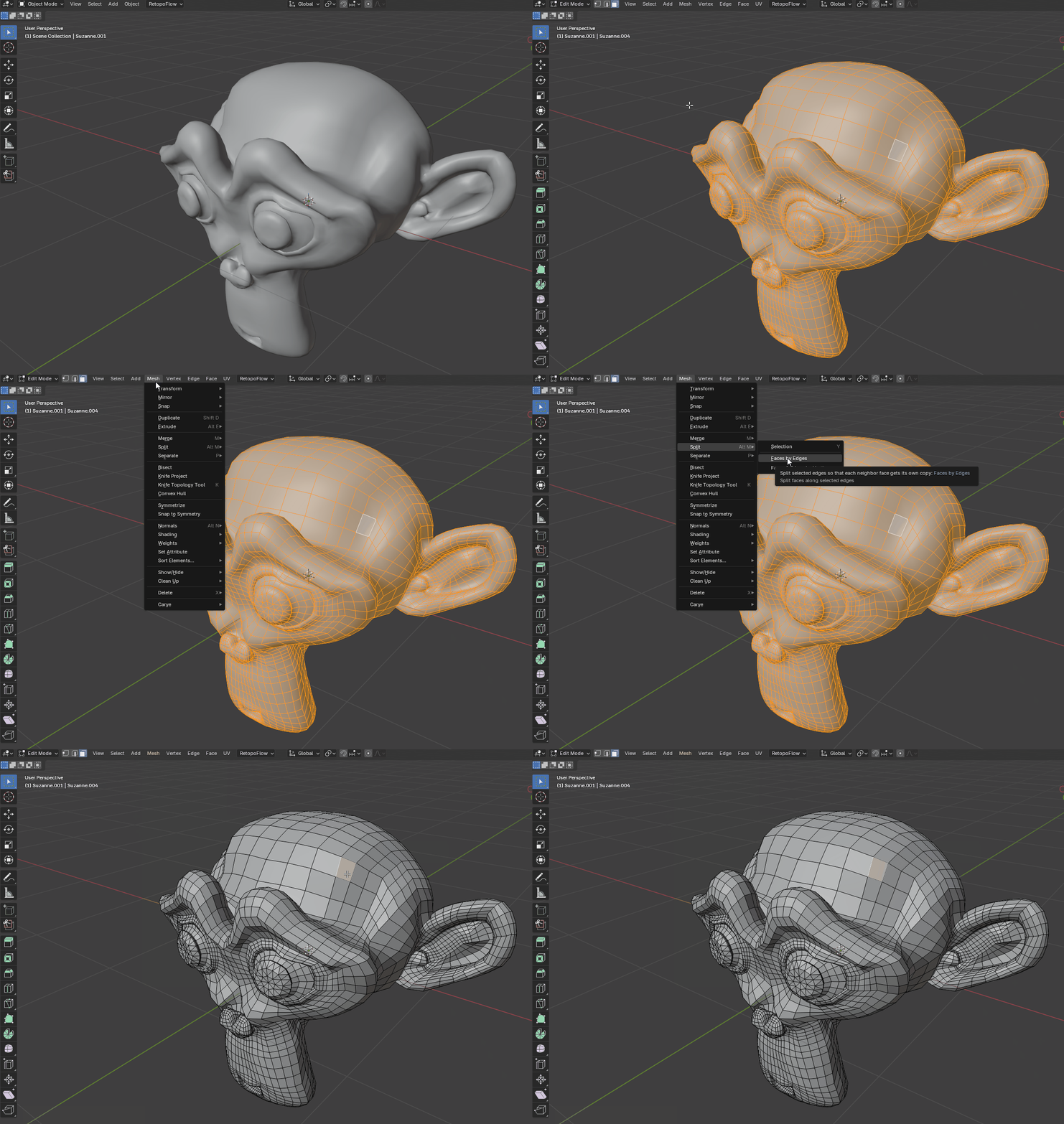
If you only want parts of your avatar to use the shader:
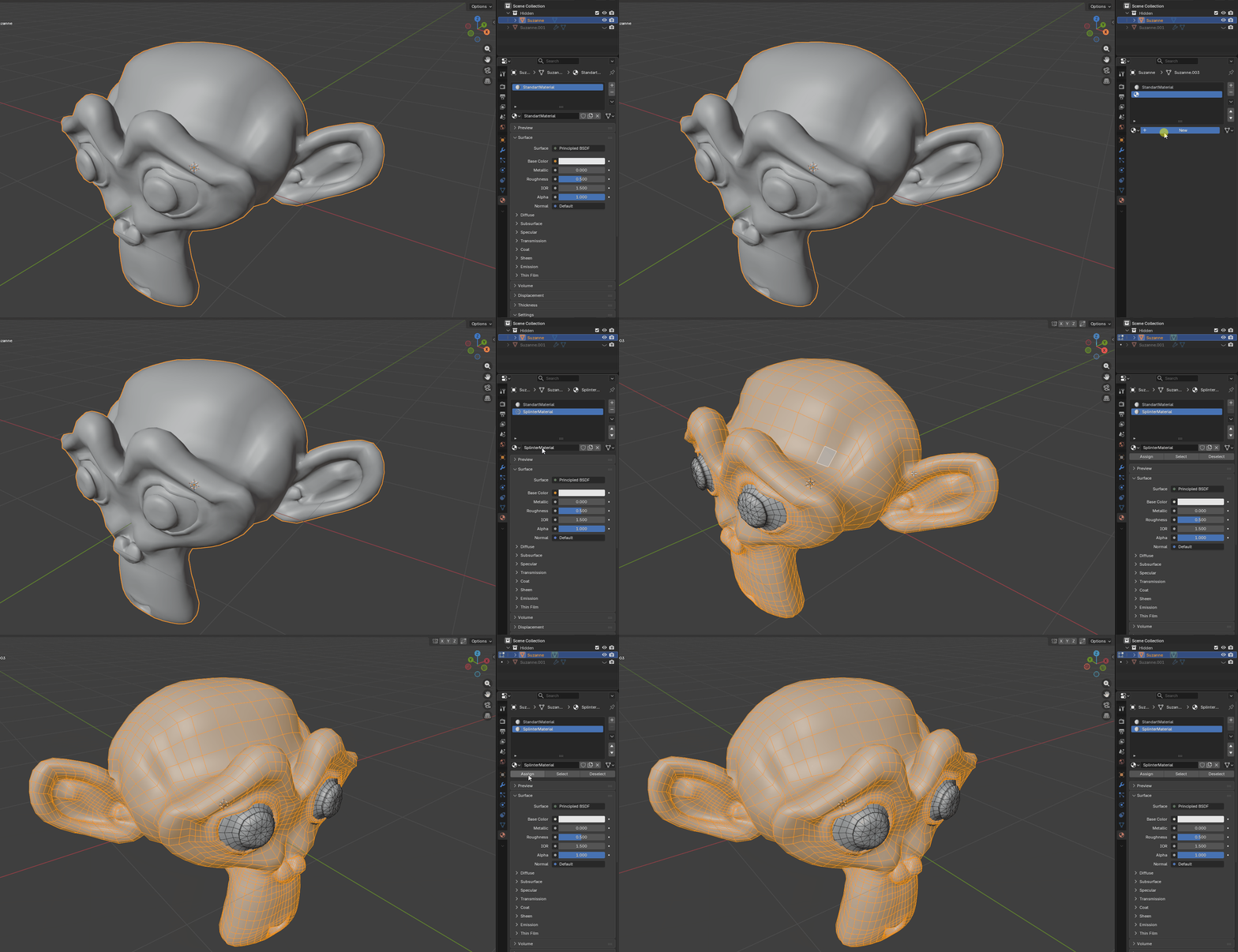
Then create a material and apply it to all of the parts you want to have the shader applied to.
Then select the mesh again, select all of the faces you applied your material to and go to Mesh -> Split -> Faces by Edges
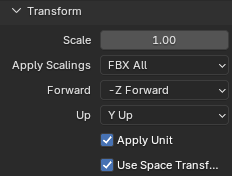
Finally export your FBX to Unity. You'll probably want to select "FBX All" as scaling.